

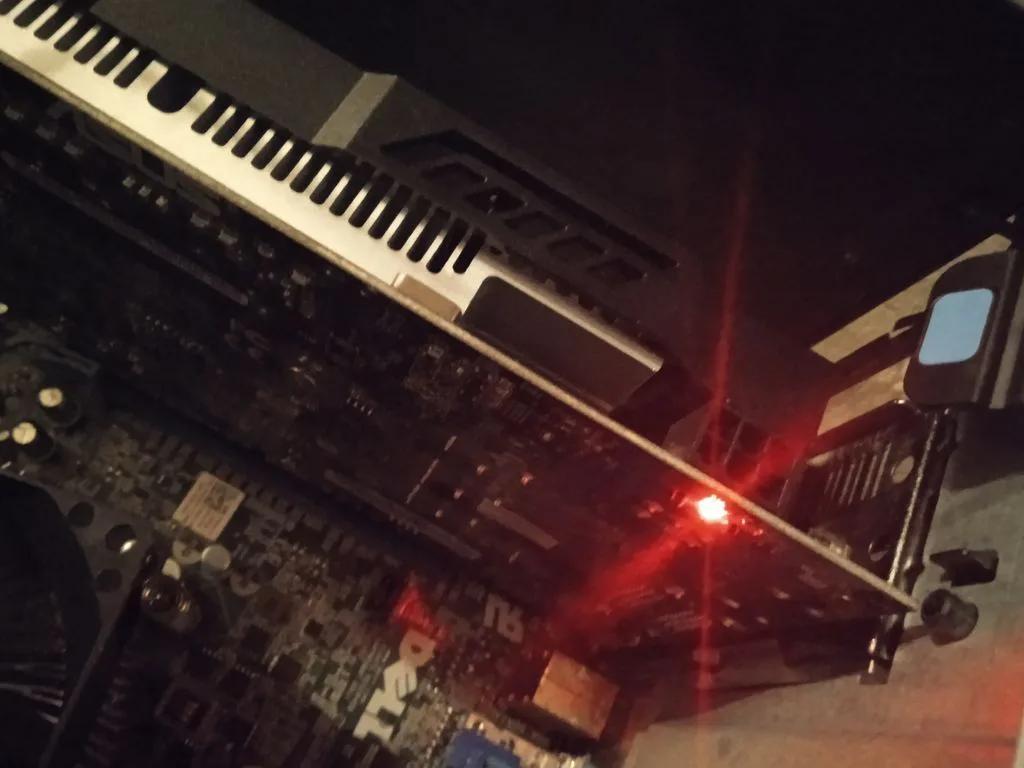
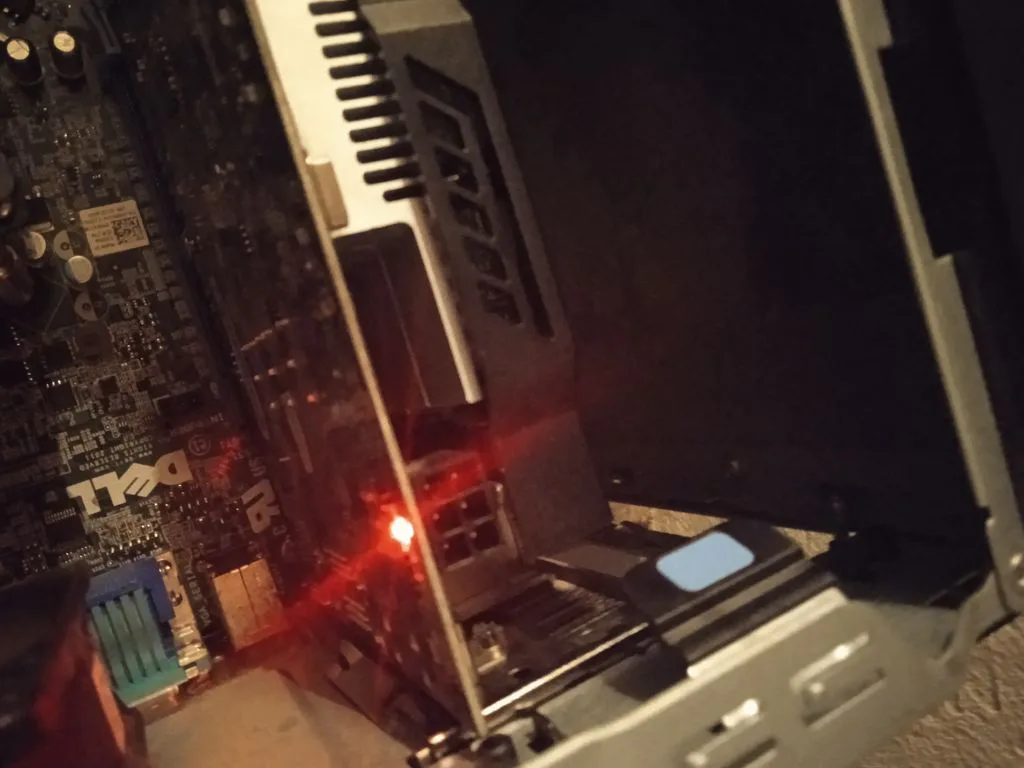
j'installe la carte , le PC démarre mais l'écran reste éteint.
 https://image.noelshack.com[...]/4/1498164198-qogyhqq.png Une LED ROUGE (voir photo)
  https://image.noelshack.com[...]65305996-corbeauledsr.png s'allume sur la carte à proximité d'un "port" type "domino"
  https://image.noelshack.com[...]/4/1583429650-brendan.png (
edit: PCI-E à 8 broches.
Okay.
 https://image.noelshack.com[...]/18/1493854779-vguciv.jpg
j'ai donc besoin d'un cable.
Quel cable ? Je le branche comment sur ma carte mère ?
 https://image.noelshack.com[...]560515593-risimoineau.png
Merci mes couilles
 https://image.noelshack.com[...]5/1486143448-10232010.png
(largué complet j'étais OKLM sur windows millenium puis aspiré par la matrice il ya 20 ans, j'ai besoin d'un véritable crackers
 https://image.noelshack.com[...]62610-jesus56bestreup.png en informatique , la CG est une ASUS GeForce GTX 750 Ti OC 2 Go)
il y a 3 ans
Sponsorisé
Connectez-vous pour masquer les pubs


Tu dois la brancher à ton alim normalement

Sinon regarde le mode d'emploi pour pas faire de bêtise

Sinon regarde le mode d'emploi pour pas faire de bêtise


il y a 3 ans
mon PC est un DELL OPTIPLEX 9010  https://image.noelshack.com[...]4831702-benzemonstre1.png
 https://image.noelshack.com[...]4831702-benzemonstre1.png
il y a 3 ans


j'installe la carte , le PC démarre mais l'écran reste éteint.
https://image.noelshack.com[...]/4/1498164198-qogyhqq.png Une LED ROUGE (voir photo) https://image.noelshack.com[...]65305996-corbeauledsr.png s'allume sur la carte à proximité d'un "port" type "domino" https://image.noelshack.com[...]/4/1583429650-brendan.png (edit: PCI-E à 8 broches.
Okay.
https://image.noelshack.com[...]/18/1493854779-vguciv.jpg
j'ai donc besoin d'un cable.
Quel cable ? Je le branche comment sur ma carte mère ?
https://image.noelshack.com[...]560515593-risimoineau.png
Merci mes couilles
https://image.noelshack.com[...]5/1486143448-10232010.png
(largué complet j'étais OKLM sur windows millenium puis aspiré par la matrice il ya 20 ans, j'ai besoin d'un véritable crackers
https://image.noelshack.com[...]62610-jesus56bestreup.png en informatique , la CG est une ASUS GeForce GTX 750 Ti OC 2 Go)Tu astenté de débrancher et rebrancher la box ?


il y a 3 ans
Tu astenté de débrancher et rebrancher la box ?
Oui, je vais tenter pour voir de https://image.noelshack.com[...]4/1613061484-mjorange.png
 https://image.noelshack.com[...]4/1613061484-mjorange.png
il y a 3 ans




Sponsorisé
Connectez-vous pour masquer les pubs





La dernière fois que j'ai tenté un truc du genre le pc à fini à la déchetterie ahi

Il s'allume sans au moins ton pc ? J'veux dire sur le GPU de la carte mère

Il s'allume sans au moins ton pc ? J'veux dire sur le GPU de la carte mère

il y a 3 ans
Bon, problème résolu. -> Câble SATA prise 15 broches > 1 × PCI Express 6 broches
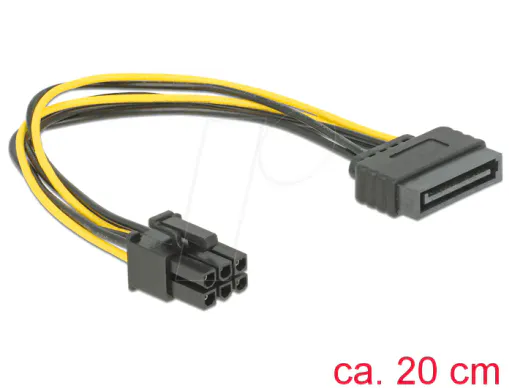
On verra bien ..
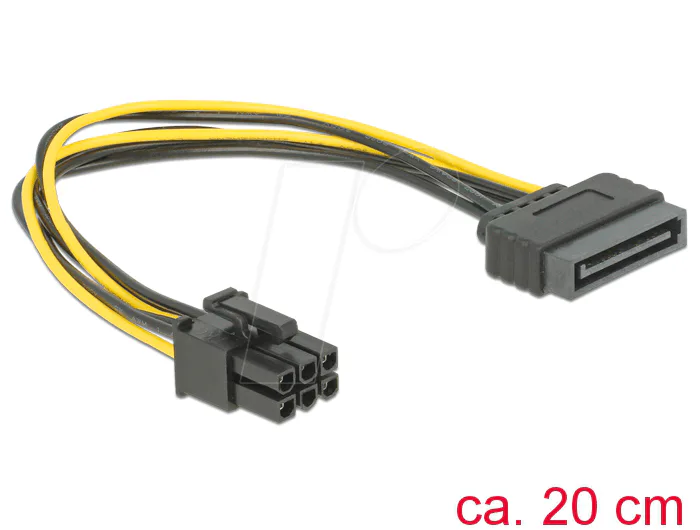
On verra bien ..

il y a 3 ans
Comment ça ? "Après pour le gpu que tu vas mettre, je ne sais pas ce que tu espères vraiment faire avec ahi"
je pige pas. https://image.noelshack.com[...]50/1/1607350453-inchj.jpg
je pige pas.
 https://image.noelshack.com[...]50/1/1607350453-inchj.jpg
il y a 3 ans
La dernière fois que j'ai tenté un truc du genre le pc à fini à la déchetterie ahi
Il s'allume sans au moins ton pc ? J'veux dire sur le GPU de la carte mère
Il s'allume sans au moins ton pc ? J'veux dire sur le GPU de la carte mère
Ouai bien sur, et j'avais une HD 7000 qui tournait nikel mais je veux DE MEILLEURS GRAPHIQUES. https://image.noelshack.com[...]661031886-zemmour-rsa.png
 https://image.noelshack.com[...]661031886-zemmour-rsa.png
il y a 3 ans
Ouai bien sur, et j'avais une HD 7000 qui tournait nikel mais je veux DE MEILLEURS GRAPHIQUES. https://image.noelshack.com[...]661031886-zemmour-rsa.png
https://image.noelshack.com[...]661031886-zemmour-rsa.pngEt t'as regardé le bios si elle est détectée ?
il y a 3 ans
Et t'as regardé le bios si elle est détectée ?
l'écran ne s'allume pas. https://image.noelshack.com[...]9/1494485121-valls-pc.png
 https://image.noelshack.com[...]9/1494485121-valls-pc.png
il y a 3 ans








j'installe la carte , le PC démarre mais l'écran reste éteint.
https://image.noelshack.com[...]/4/1498164198-qogyhqq.png Une LED ROUGE (voir photo) https://image.noelshack.com[...]65305996-corbeauledsr.png s'allume sur la carte à proximité d'un "port" type "domino" https://image.noelshack.com[...]/4/1583429650-brendan.png (edit: PCI-E à 8 broches.
Okay.
https://image.noelshack.com[...]/18/1493854779-vguciv.jpg
j'ai donc besoin d'un cable.
Quel cable ? Je le branche comment sur ma carte mère ?
https://image.noelshack.com[...]560515593-risimoineau.png
Merci mes couilles
https://image.noelshack.com[...]5/1486143448-10232010.png
(largué complet j'étais OKLM sur windows millenium puis aspiré par la matrice il ya 20 ans, j'ai besoin d'un véritable crackers
https://image.noelshack.com[...]62610-jesus56bestreup.png en informatique , la CG est une ASUS GeForce GTX 750 Ti OC 2 Go)les 6 trous au dessus de la lumiere rouge c'est pour brancher la carte à l'alim du pc. tu as du avoir le cable avec la cg.
modèle de la cg ?
puissance de l'alim du PC ?
modèle de la cg ?
puissance de l'alim du PC ?
il y a 3 ans
RESOLU.
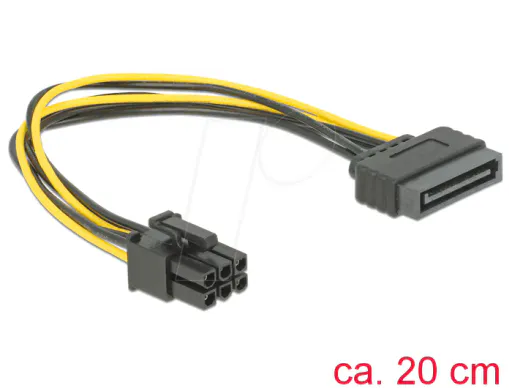
MERCI LES JEUNES.
JE UP dans quelques jours !
ou pas..
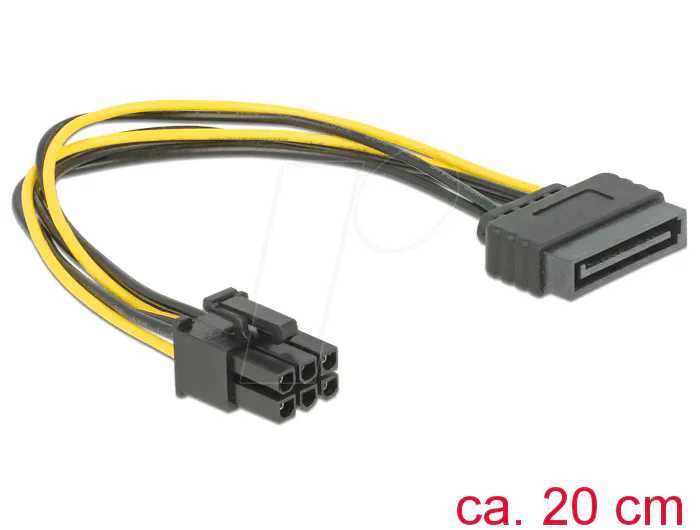
MERCI LES JEUNES.
JE UP dans quelques jours !
ou pas..

il y a 3 ans
l'écran ne s'allume pas. https://image.noelshack.com[...]9/1494485121-valls-pc.png
https://image.noelshack.com[...]9/1494485121-valls-pc.pngBah tu la retire, allume ton bios, force l'allumage sur le gpy intégré, éteint, branche ta cg, réglo bios et vois si elle y est
J'me rappelle que j'avais une erreur dans ce style, mon bios déconnait dans ce style, j'étais obligé de brancher mon câble HDMI sur la cg plutôt que la carte mère

J'me rappelle que j'avais une erreur dans ce style, mon bios déconnait dans ce style, j'étais obligé de brancher mon câble HDMI sur la cg plutôt que la carte mère
il y a 3 ans